Recipes
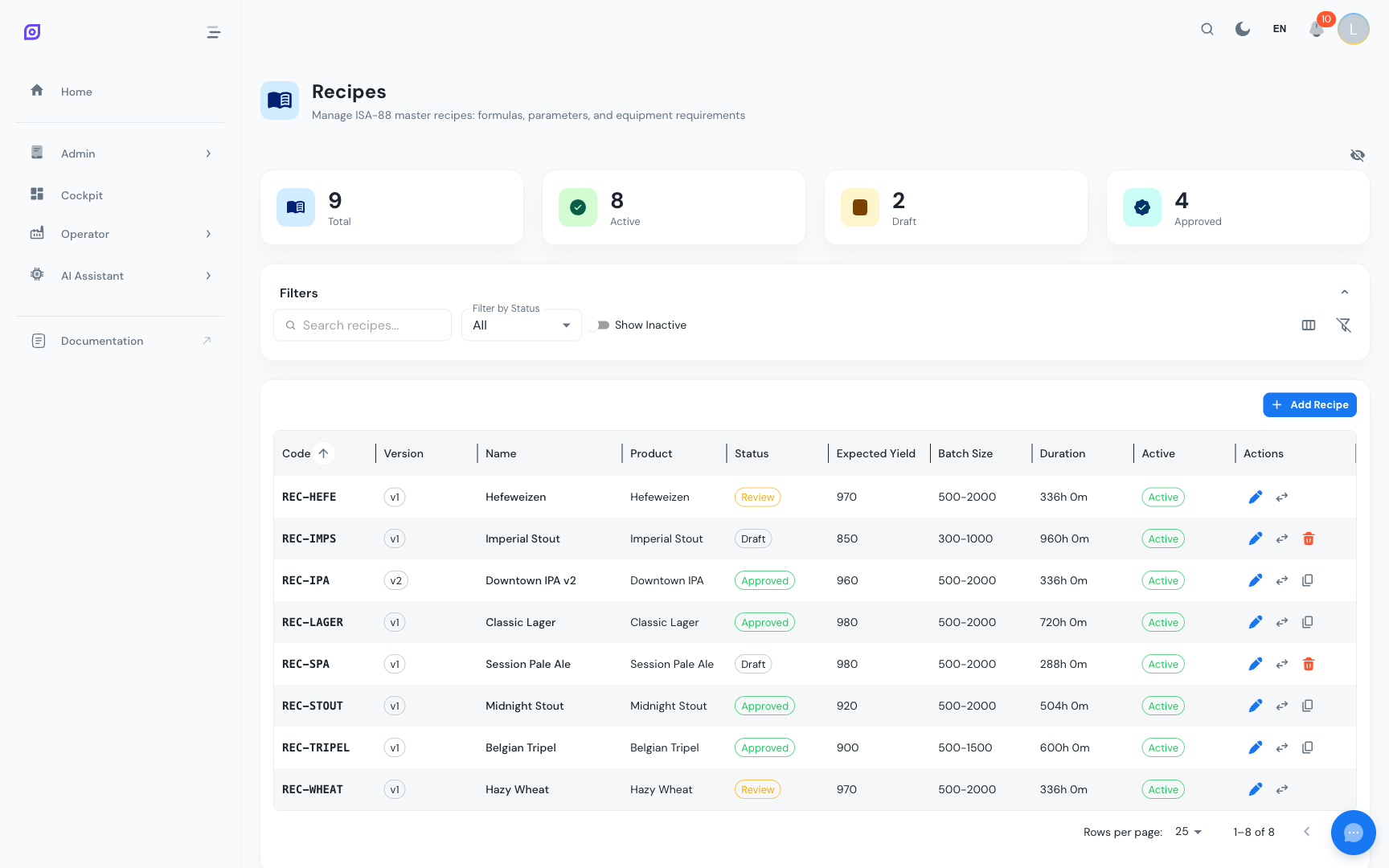 The recipe list view with version badges, status chips, and quick actions.
Recipes define what is produced and how -- they tie specific product parameters to a procedure following the ISA-88 batch model. While a procedure describes the steps (operations and phases), a recipe fills in the product-specific details: which materials, in what quantities, at what setpoints, and on which equipment.
Key features
- Full CRUD for recipes with translated names and descriptions
- Versioning with automatic version numbering and child-record copying
- Status workflow with four lifecycle states: Draft, Review, Approved, Obsolete
- Formula management -- bill of materials with quantities, units, tolerances, and critical flags
- Phase parameters -- setpoint overrides per operation phase (target, min, max)
- Equipment requirements -- unit procedure to equipment class/unit mapping with cleanliness constraints
- Changeover rules -- duration and CIP requirements when switching products on equipment
- Dashboard cards summarizing total, active, draft, and approved recipe counts
- Search and filter by name, code, product, status, and active/inactive state
- Audit trail -- every create, update, delete, and status change is logged
Recipe structure
A recipe in OpSee is composed of four parts:
| Component | Purpose | Example |
|---|---|---|
| Formula | Material quantities (bill of materials) | 500 L water, 200 L concentrate, 50 kg sugar |
| Parameters | Phase-specific setpoints | Temperature = 85 C, Speed = 120 RPM |
| Equipment Requirements | Which equipment class/unit is needed per unit procedure | Mixing Tank >= 1000 L, status >= clean |
| Changeover Rules | Time and CIP needed when switching products | Orange Juice to Apple Juice on Line 1 = 45 min + CIP |
Recipe vs. Procedure
Think of the relationship as a template vs. instance:
- The procedure is the generic method (e.g. "Juice Production") -- it defines the steps but not the product-specific values.
- The recipe is the specific product definition (e.g. "Orange Juice v2.1") -- it references a procedure and fills in the formula, parameters, and equipment.
This separation means you can reuse the same procedure across multiple recipes. Change the procedure once, and all recipes that reference it inherit the updated steps.
You must configure procedures before creating recipes. A recipe references a batch procedure, and its parameters are linked to the procedure's operation phases.
Status lifecycle
Every recipe follows a controlled lifecycle:
| Status | Editable | Deletable | Available for Production |
|---|---|---|---|
| Draft | Yes | Yes | No |
| Review | No | No | No |
| Approved | No | No | Yes |
| Obsolete | No | No | No |
Only Draft recipes can be modified or deleted. To make changes to an approved recipe, create a new version.
Learn more
| Page | What you will find |
|---|---|
| Getting Started | Step-by-step tutorial to create your first recipe |
| Recipe List | Browse, search, filter, and manage recipe versions and statuses |
| Formulas | Configure the bill of materials for each recipe |
| Parameters | Define phase-specific setpoints with min/max ranges |
| Equipment Requirements | Map recipes to equipment classes and preferred units |
| Changeover Rules | Define product-switch durations and CIP requirements |
Prerequisites
- Introduction — get the overall picture of OpSee
Next steps
Related
- Batch Model (ISA-88)
- Procedures — complementary module