My Permissions
The Roles and Permissions card on your Profile page shows exactly what you are allowed to see and do in OpSee.
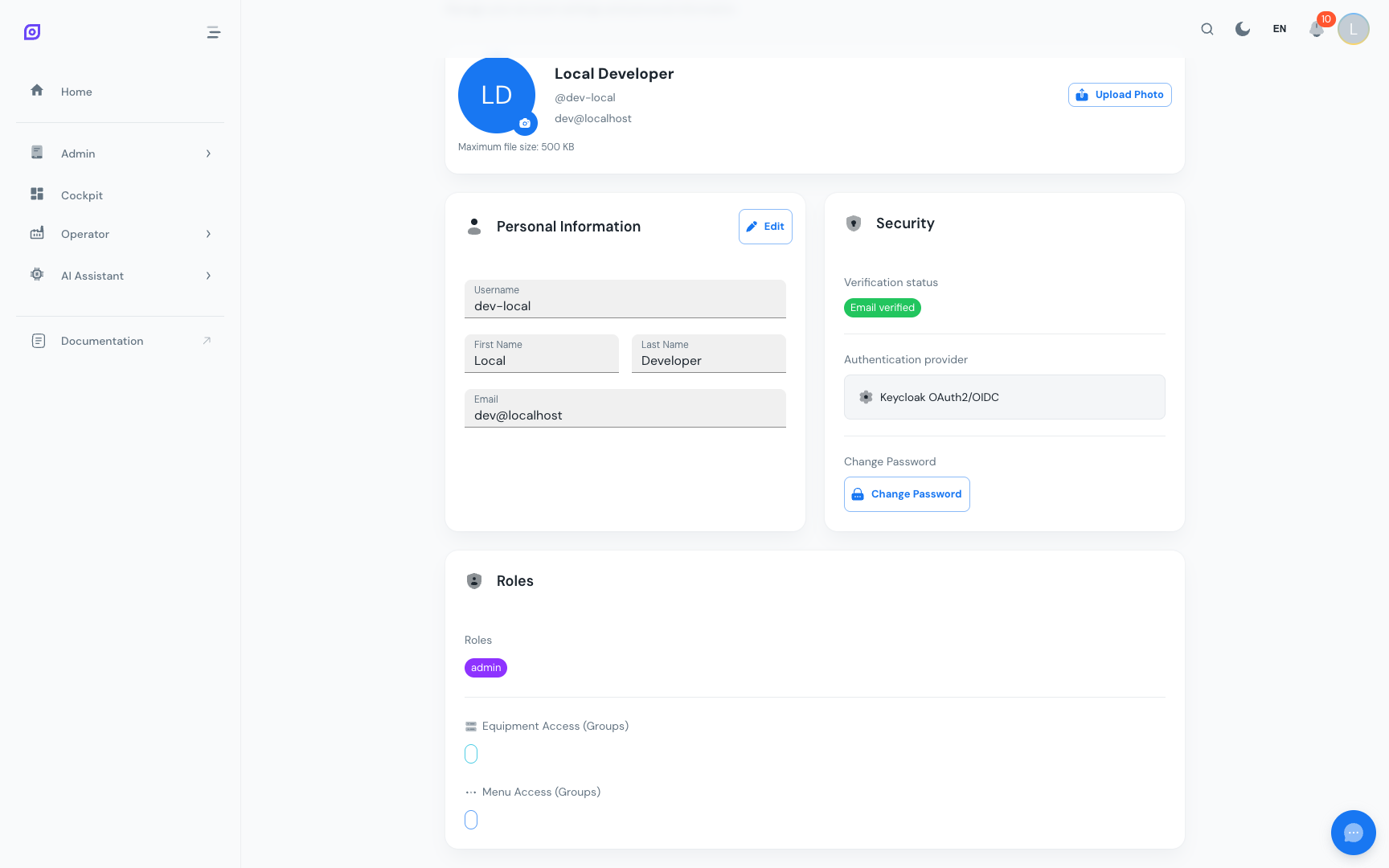
What the Card Shows
The card has two sections, matching the two things that decide your access:
| Section | Shows | Controls |
|---|---|---|
| Roles | Your business roles (role:Operator, role:Supervisor, …) and any individual permissions | Which pages and actions you can use |
| Equipment access | Your equipment scope | Which equipment's data you see |
Roles
A business role packages the permissions for a job function — role:Operator,
role:Supervisor, role:Technician, role:Quality, role:Planner,
role:Viewer (read-only) or role:Admin. Holding a role grants every
permission inside it.
Individual permissions are named perm:{area}:{action} — for example
perm:oee:read (view OEE) or perm:production-orders:write (edit production
orders). You normally never hold these one by one; your business role bundles the
right ones. An administrator can grant a single extra permission for a one-off
need.
Menu visibility follows your permissions automatically. If you hold the permission a page requires, that page appears in your sidebar. There is no separate menu role to assign.
Equipment Access
The Equipment access section shows which parts of the plant you can see. Equipment scope follows a hierarchy that mirrors your plant structure, and a grant automatically covers everything beneath it:
| Role example | What you see |
|---|---|
| All equipment | Every equipment node, including any added later |
equipment:company-a | All equipment under company-a |
equipment:company-a:antwerp | Only the Antwerp site |
equipment:company-a:antwerp:line-2 | Only Line 2 at Antwerp |
| (nothing listed) | No equipment data |
Permissions and equipment scope are independent. Holding perm:oee:read lets you
open the OEE pages; your equipment scope decides whose OEE data appears on them.
If the section is empty, production pages load but stay empty.
Administrators
An administrator holds the role:Admin business role, which contains every
permission in the catalog plus the all-equipment wildcard. There is no separate
"admin switch" — an admin simply holds everything, and is subject to exactly the
same checks as everyone else.
What if My Access is Wrong?
If you cannot see a page or equipment you should have access to:
- Check the Roles and Permissions card and note what is listed.
- Missing a page? You lack the permission that page requires. Ask your administrator to assign a role — or the specific permission — that grants it.
- Page loads but shows no data? Your equipment scope is empty or does not
cover the equipment you expect. Ask for the relevant
equipment:*grant. - Can view but not edit? Viewing and editing are separate permissions
(
perm:oee:readversusperm:oee:write). Ask for the one that includes editing. - Role was just changed and nothing happened? Sign out and back in — your permissions are carried in a token issued at sign-in.
Roles are Read-Only
You cannot self-assign roles. Only administrators can modify them via Administration → Access Control. If you need access to a module, contact your plant administrator.
Prerequisites
- Profile Overview — navigate to the profile page
- Roles and Permissions — the full role model explanation
Related
- Administration → Access Control — how admins assign roles
- Administration → User Management — admin user management
- Authorization — the technical model, in depth