Production
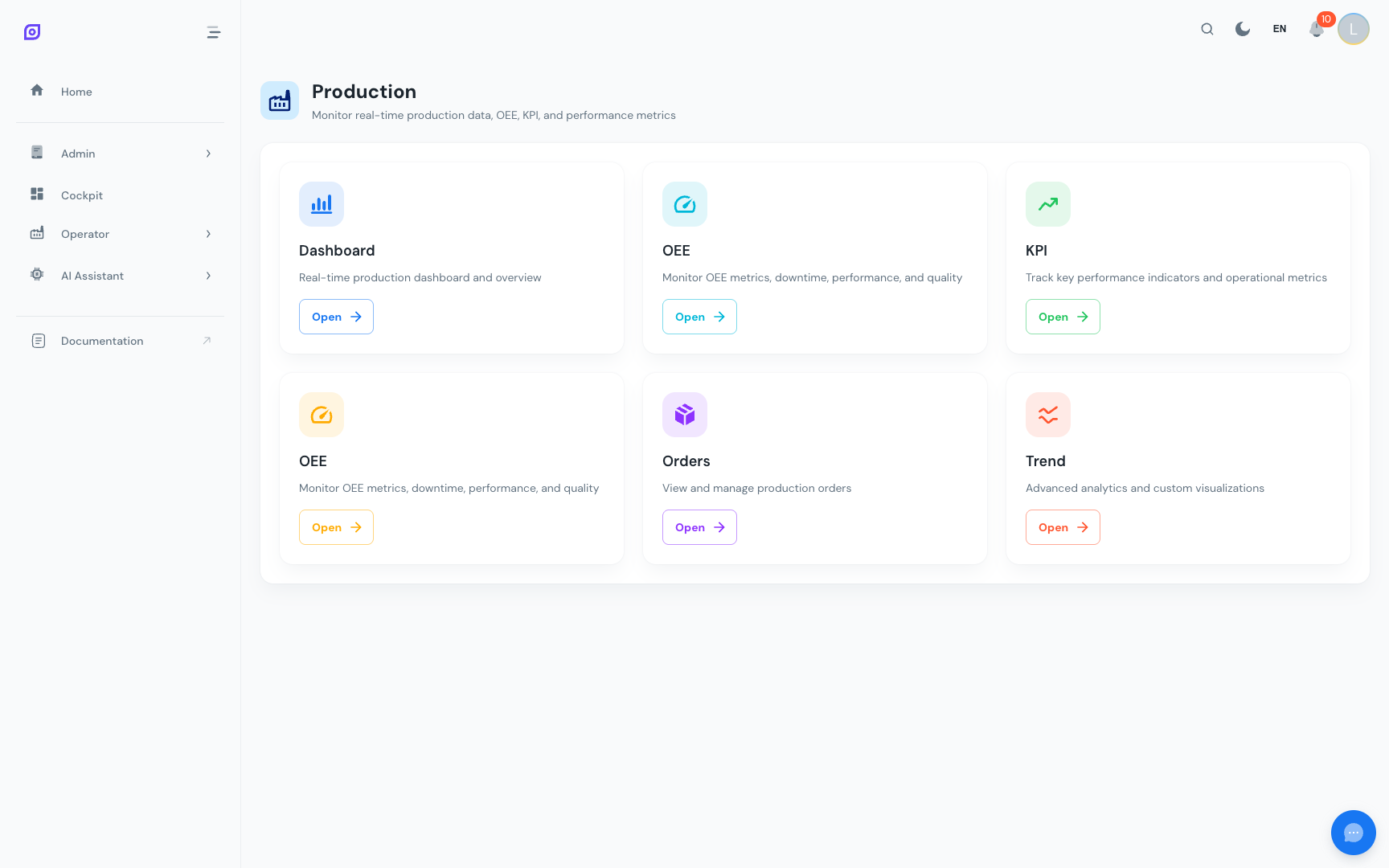
The Production module is the operational core of OpSee. It is where operators, line leads, and production supervisors spend most of their time during a shift. From a single navigation hub you can access real-time OEE dashboards, log and classify downtime events, review quality and performance metrics, and compare multiple equipment lines side by side.
What is in the Production module?
The Production navigation page presents a card for each available sub-section. The cards are dynamic: they come from the menu configuration, so every site sees only the sections that have been enabled by an administrator.
Common sub-sections include:
| Section | Purpose |
|---|---|
| OEE Dashboard | Full OEE calculation with gauges, waterfall chart, production and activity trends |
| Downtime Operator Screen | Log, validate, split, and merge downtime events with a visual timeline |
| Equipment Overview | Compare OEE, availability, performance, and quality across multiple lines |
| Production Dashboard | Grafana-powered live dashboard for real-time production metrics |
| Production Orders | Track production orders, planned quantities, and completion status |
| KPIs | Operator and production KPIs served through configurable Grafana dashboards |
| OEE Performance | Deep dive into speed losses and cycle time analysis |
| OEE Quality | Reject tracking, scrap analysis, and quality loss breakdown |
The sections visible in your Production menu depend on your site configuration and user permissions. If you do not see a section listed above, ask your administrator to check the menu configuration.
Key concepts
A few core concepts appear throughout the Production module.
OEE: Overall Equipment Effectiveness
OEE is the standard manufacturing KPI that combines three factors:
OEE = Availability x Performance x Quality
- Availability measures how much of the planned production time the equipment was actually running (excluding unplanned and planned downtime).
- Performance compares actual production speed to the ideal cycle time.
- Quality measures the ratio of good pieces to total pieces produced.
Each factor is expressed as a percentage, and the overall OEE is their product. A world-class OEE target is typically 85%.
Time filtering
All production screens share a consistent time filtering system:
- Time presets: predefined ranges like "Today", "Yesterday", "This Week", "Last 7 Days", configured in the database.
- Custom range: absolute start and end date/time for ad-hoc analysis.
- Timezone-aware: all queries use the browser's local timezone so times displayed match what operators see on the shop floor clock.
Equipment permissions
Users only see data for equipment covered by their equipment scope. Administrators hold the all-equipment wildcard and so see everything. Enforcement happens in the API, not the interface — the sidebar and filters mirror the backend decision rather than making it.
Color conventions
Production screens follow a consistent color scheme for equipment states:
| State | Color | Hex |
|---|---|---|
| Running | Green | #4caf50 |
| Down (unplanned) | Red | #f44336 |
| Idle / Waiting | Yellow / Orange | #ff9800 |
| Unknown / No data | Grey | #9e9e9e |
Quick start
- Open the main navigation menu and click Production.
- Select the sub-section you need (e.g., OEE Dashboard or Downtime).
- Choose your equipment and time range using the filter controls at the top.
- The data loads automatically, with no "Apply" button needed.
For a step-by-step walkthrough, see Getting Started.
Learn more
| Page | What you will find |
|---|---|
| Getting Started | Tutorial: navigate production, understand the layout |
| Production Dashboard | Grafana-powered real-time dashboard |
| Production Orders | Order management and tracking |
| OEE Dashboard | Full OEE calculation with charts and KPI cards |
| OEE Performance | Speed and cycle time analysis |
| OEE Quality | Reject and scrap tracking |
| Equipment Overview | Multi-equipment comparison view |
| Downtime Operator Screen | Downtime logging, validation, split, and merge |
| KPIs | Production and operator KPIs |
Prerequisites
- Introduction: get the overall picture of OpSee
Next steps
Related
- OEE Fundamentals
- Cockpit: complementary module