Production KPIs
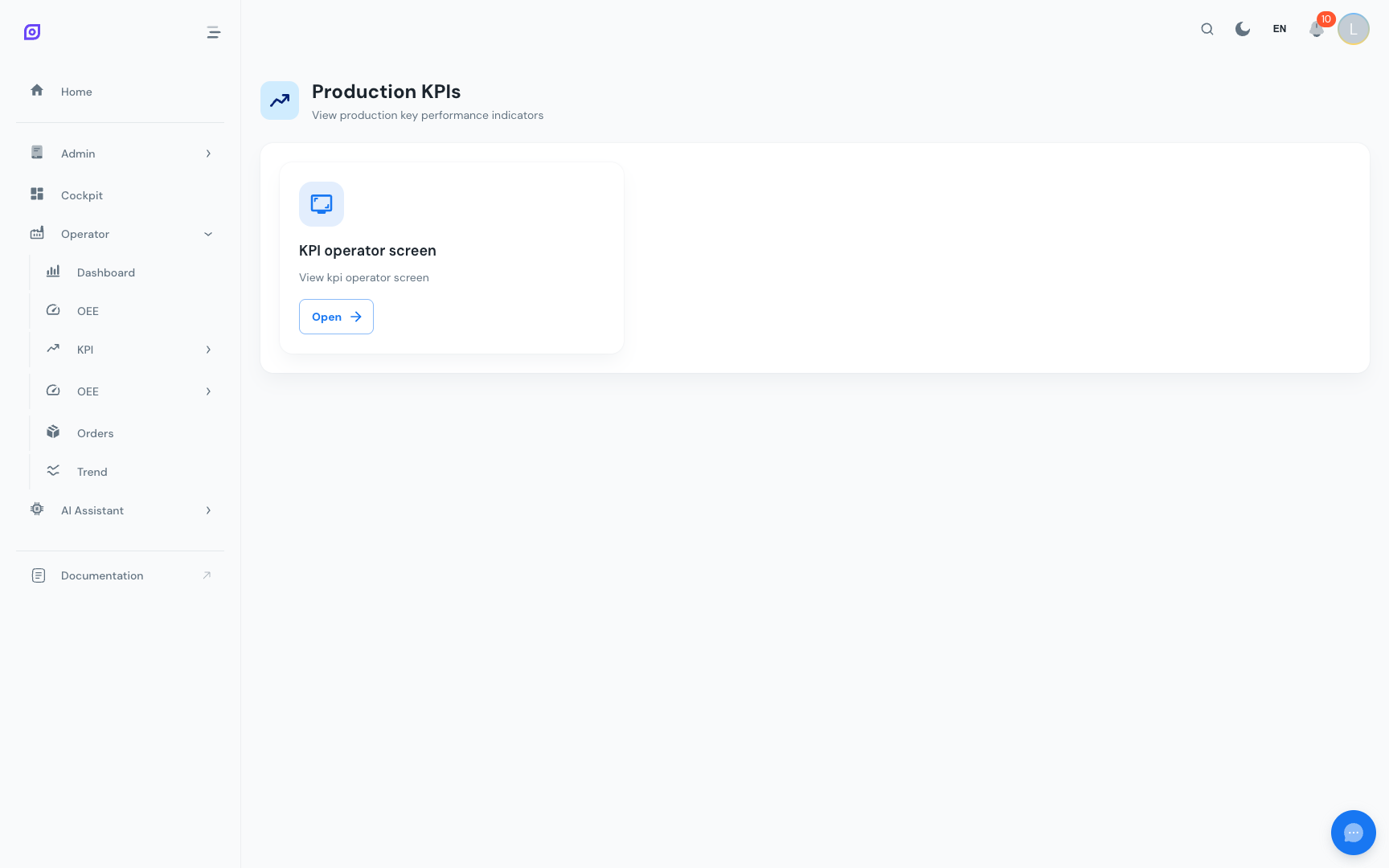
The KPI section provides access to configurable key performance indicator dashboards. Like the Production navigation hub, this section dynamically displays cards based on the menu configuration, allowing each site to expose exactly the KPI dashboards that matter to their operations.
How it works
The KPI navigation page fetches its content from the menu API. Each card represents a KPI dashboard configured by an administrator. Cards typically link to Grafana dashboards embedded within OpSee, giving operators and supervisors a focused view of their metrics.
Dynamic menu cards
Each KPI card shows:
- Title: the dashboard name (translated to your current language)
- Description: a brief summary of what the dashboard covers
- Icon: a visual indicator from the menu configuration
- Open button: navigates to the dashboard
The KPI cards are fully dynamic. Your administrator can add, remove, or reorder them from the menu configuration without any code change. If you do not see any KPI dashboards, contact your administrator.
Common KPI dashboards
Typical KPI dashboards configured in OpSee include:
Operator KPIs
Metrics focused on individual operator performance:
| KPI | Description |
|---|---|
| Downtime validation rate | % of events classified with a reason |
| Response time | Average time between event occurrence and reason assignment |
| Events per shift | Number of downtime events during the operator's shift |
| Pieces per hour | Production throughput attributed to the operator's shift |
Line KPIs
Metrics focused on production line performance:
| KPI | Description |
|---|---|
| OEE trend | Daily or weekly OEE trend for the line |
| Availability trend | Uptime percentage over time |
| Top 5 downtime reasons | Pareto of most impactful stop causes |
| Production vs. target | Actual output compared to planned production |
| MTTR / MTBF | Reliability metrics over time |
Shift KPIs
Cross-line metrics aggregated by shift:
| KPI | Description |
|---|---|
| Shift OEE | Overall OEE for all lines during the shift |
| Shift production | Total pieces produced across all lines |
| Shift downtime | Total downtime minutes across all lines |
| Quality rate | Shift-level quality percentage |
Management KPIs
Higher-level metrics for production managers:
| KPI | Description |
|---|---|
| Weekly OEE by line | Comparison chart across all production lines |
| Monthly production summary | Output totals vs. targets |
| Loss waterfall | Where time is being lost across the factory |
| Improvement tracking | OEE improvement over months |
Grafana integration
Most KPI dashboards are powered by Grafana, which connects directly to the TimescaleDB database. The integration works the same way as the Production Dashboard:
- Embedded in OpSee: no separate Grafana login needed
- Kiosk mode: Grafana chrome is hidden
- Auto-refresh: dashboards update automatically
- External links: some cards may open Grafana in a new tab (for dashboards that benefit from the full Grafana toolbar)
Creating custom KPI dashboards
To add a new KPI dashboard:
- Create the dashboard in Grafana: design panels with the metrics you need, using SQL queries against the OpSee database.
- Add a menu entry: in the Admin menu configuration, add a new child item under Production > KPI with the Grafana dashboard URL.
- Set an icon and description: choose an appropriate icon and add a translated description.
- Assign permissions: configure which user roles can see the new KPI card.
When building Grafana dashboards for OpSee, use the kiosk-friendly layout: no row titles, no collapsible sections, and ensure panels look good at various screen sizes. Test with ?kiosk=tv appended to the URL.
Related pages
- Production Dashboard: the main Grafana-powered production dashboard
- OEE Dashboard: native OEE analysis with interactive charts
- Equipment Overview: multi-line OEE comparison
- Cockpit: build custom layouts with drag-and-drop widgets
- Downtime Operator Screen: the operator screen that feeds KPI data
Prerequisites
- Production Overview
- Introduction: get the overall picture of OpSee