Production Dashboard
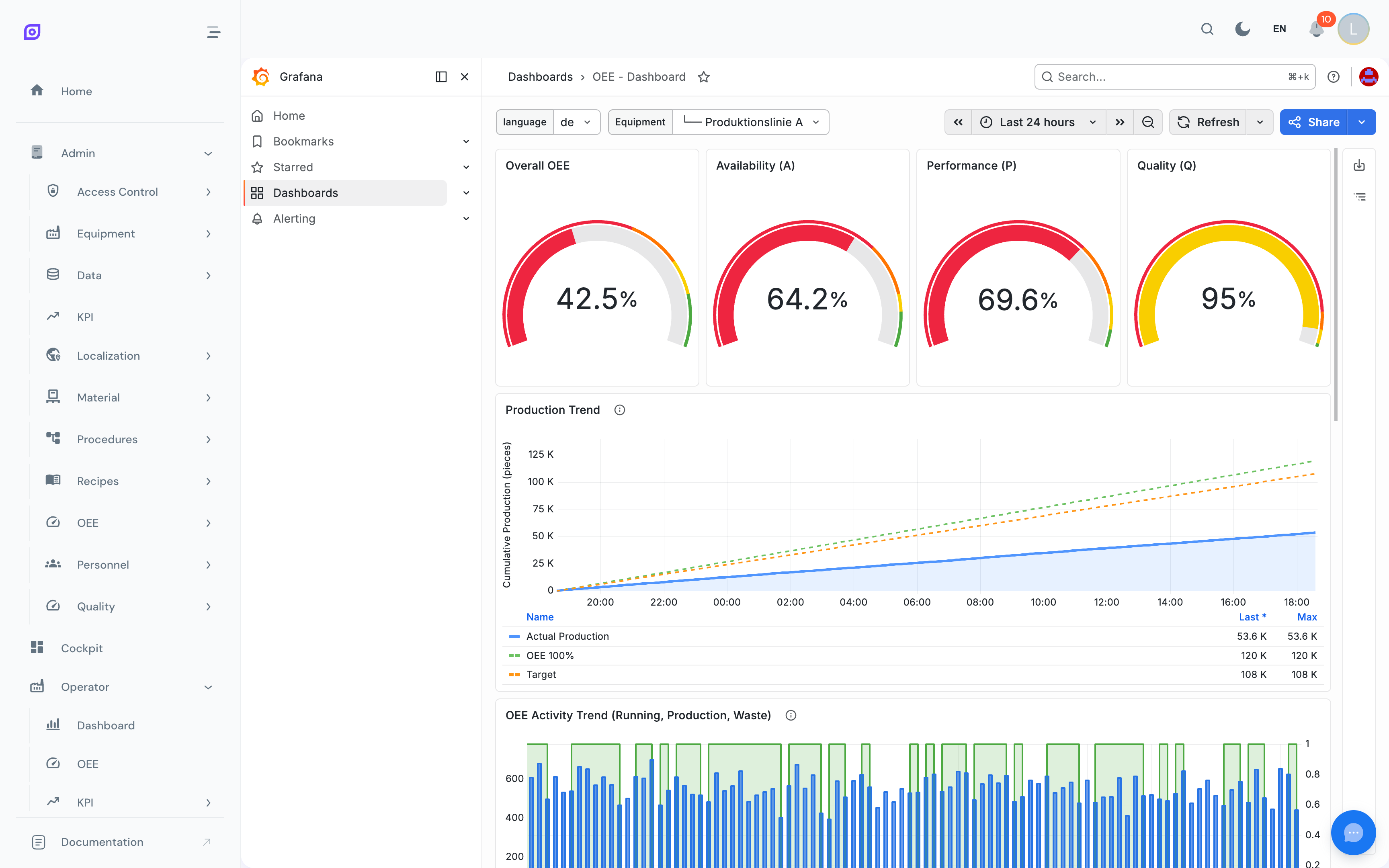
The Production Dashboard provides a real-time view of production metrics through an embedded Grafana dashboard. It is designed for always-on monitoring on shop floor screens, control rooms, or supervisor workstations.
How it works
The Production Dashboard embeds a Grafana dashboard directly inside the OpSee interface:
- Full-screen kiosk mode: the Grafana UI chrome (menus, toolbars) is hidden. Only the panels are visible.
- Theme synchronization: the embedded dashboard follows OpSee's current theme (light mode).
- Auto-refresh: data refreshes every 30 seconds by default.
- Default time range: shows the last hour of data (
now-1htonow). - Authentication pass-through: the Grafana session uses the same OAuth2 authentication as OpSee, so no separate login is required.
Typical panels
The exact panels depend on your site's Grafana dashboard configuration. Common panels include:
| Panel | Description |
|---|---|
| Production counter | Live piece count with trend sparkline |
| Machine status | Running / Stopped / Idle indicator with duration |
| OEE gauge | Current shift OEE percentage |
| Downtime events | Recent downtime events with reasons |
| Reject rate | Quality reject percentage over time |
| Throughput | Pieces per hour trend chart |
The Grafana dashboard layout is configured by your administrator in Grafana (accessible at /grafana/). The Production Dashboard in OpSee simply embeds it. To change what panels are displayed, contact your Grafana administrator.
Loading behavior
When the page loads:
- A spinning indicator appears while the Grafana iframe initializes.
- Once loaded, the dashboard fades in smoothly.
- From that point, Grafana handles its own data refresh cycle.
When to use this vs. the OEE Dashboard
| Feature | Production Dashboard (Grafana) | OEE Dashboard (Native) |
|---|---|---|
| Data source | Direct TimescaleDB queries via Grafana | OpSee REST API with PostgreSQL functions |
| Customization | Grafana panel editor (admin only) | Fixed layout, configurable filters |
| Interactivity | Limited (Grafana kiosk mode) | Full: click events, drill-down, split/merge |
| Time range | Grafana controls (hidden in kiosk) | Equipment filter + time presets |
| Best for | Always-on monitoring screens | Shift-level analysis and decision-making |
Use the Production Dashboard for passive monitoring on TV screens, and the OEE Dashboard for active analysis during or after a shift.
Related pages
- OEE Dashboard: native OEE calculation with interactive charts
- Equipment Overview: compare multiple equipment lines
- Cockpit: build custom dashboard layouts with drag-and-drop widgets
Prerequisites
- Production Overview
- Introduction: get the overall picture of OpSee