OEE Configuration
The OEE Configuration module is where you define how downtime and losses are classified in your plant. Before OpSee can track OEE meaningfully, you need to set up the vocabulary that operators and supervisors use to categorize production events.
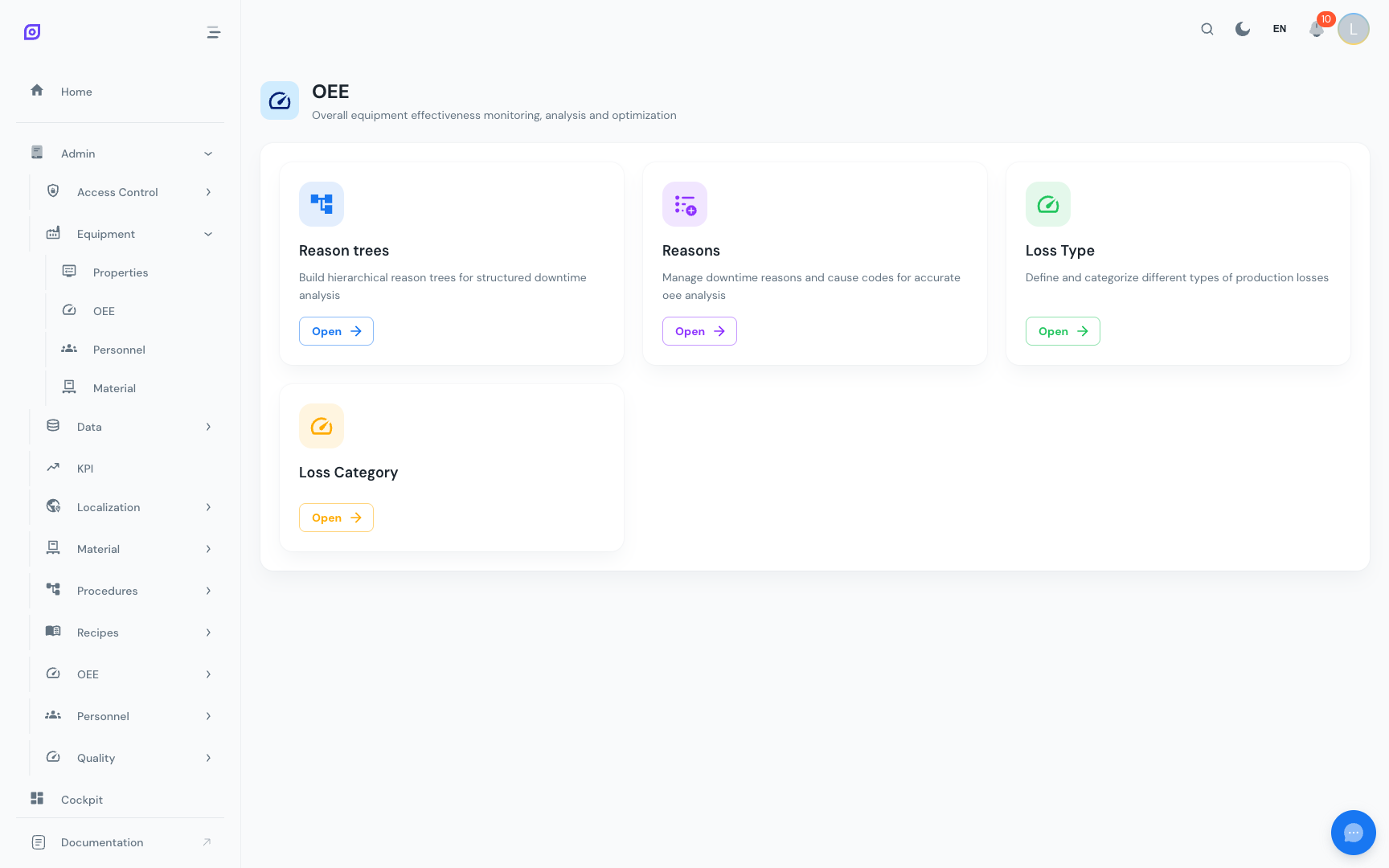
What you configure here
| Component | Purpose | Example |
|---|---|---|
| Loss Categories | High-level business groupings for losses | "Mechanical", "Electrical", "Process" |
| Loss Types | OEE classifications mapped to the Six Big Losses | "Unplanned Downtime", "Speed Loss", "Quality Defect" |
| Reasons | Specific causes that operators select when logging downtime | "Belt broken", "Material shortage", "Operator break" |
| Reason Trees | Hierarchical structures that guide operators through reason selection | A tree: Mechanical → Drive System → Belt broken |
How they fit together
- Loss Categories provide business-level groupings for reporting
- Loss Types classify losses according to OEE theory (the Six Big Losses)
- Reasons are the specific causes operators can select
- Reason Trees organize reasons into navigable hierarchies, with each node linked to a loss type
- Equipment Types are assigned specific reason trees, so operators see relevant choices
- When an operator logs downtime, they navigate the Reason Tree to select a Reason, which automatically classifies the event by Loss Type and Loss Category
Setup workflow
Follow this order when setting up OEE configuration for the first time:
:::tip Start simple You don't need to define hundreds of reasons on day one. Start with the top 10–15 most common downtime reasons for your plant, then refine as operators provide feedback. A reason tree that's too complex will slow down operators. :::
Key concepts
OEE Categories
OpSee uses six OEE categories that map to the standard OEE loss model:
| Category | OEE Factor | Description |
|---|---|---|
| Unscheduled | — | No production planned (weekends, holidays) |
| Planned | Availability | Scheduled stops (maintenance, changeovers, breaks) |
| Unplanned | Availability | Unexpected failures and breakdowns |
| Performance | Performance | Running below ideal speed |
| Quality | Quality | Defective products |
| Outside Area | — | Losses caused by external factors |
Inheritance in Reason Trees
When you build a reason tree, loss type assignments inherit downward. If you assign "Unplanned Downtime" to a parent node, all child nodes inherit that classification unless explicitly overridden. This saves time when building large trees.
Learn more
| Page | What you will find |
|---|---|
| Getting Started | Step-by-step setup of your first OEE configuration |
| Loss Categories | Create and manage business-level loss groupings |
| Loss Types | Define OEE loss classifications |
| Reasons | Manage the specific causes operators select |
| Reason Trees | Build hierarchical reason structures |
| Analytics | View OEE calculations and breakdowns |
| Reports | Generate OEE reports and trend analysis |
Prerequisites
- Introduction — get the overall picture of OpSee
Next steps
Related
- OEE Fundamentals
- Equipment — complementary module