Loss Types
Loss types are the bridge between your specific downtime reasons and the OEE calculation. Each loss type is assigned to one of the six OEE categories, which determines how the loss impacts Availability, Performance, or Quality.
OEE Categories
Every loss type must be assigned to exactly one OEE category:
| Category | OEE Factor | Impact | Example |
|---|---|---|---|
| Unscheduled | None | Excluded from OEE calculation (no production was planned) | Weekend, holiday |
| Planned | Availability ↓ | Reduces run time | Maintenance, changeover, break |
| Unplanned | Availability ↓ | Reduces run time (unplanned) | Breakdown, jam, material shortage |
| Performance | Performance ↓ | Equipment ran below ideal speed | Minor stops, reduced speed |
| Quality | Quality ↓ | Products didn't meet standards | Startup rejects, defects |
| Outside Area | None | Tracked but not counted against equipment OEE | Upstream/downstream blockage |
:::info How categories affect OEE Only Planned, Unplanned, Performance, and Quality categories directly affect the OEE calculation. Unscheduled and Outside Area are tracked for visibility but excluded from the OEE formula. :::
Managing loss types
Navigate to Admin → OEE → Loss Types.
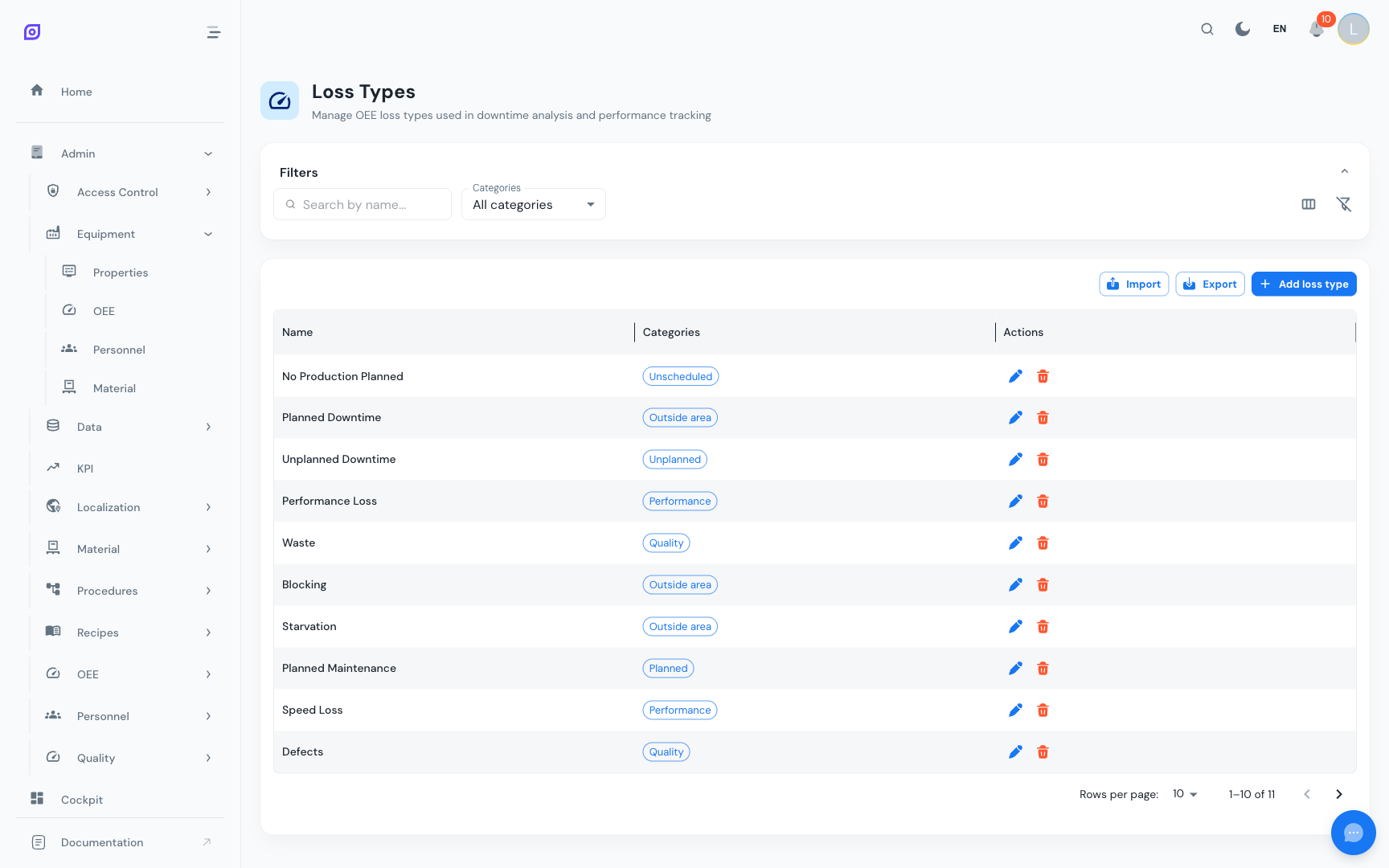
Creating a Loss Type
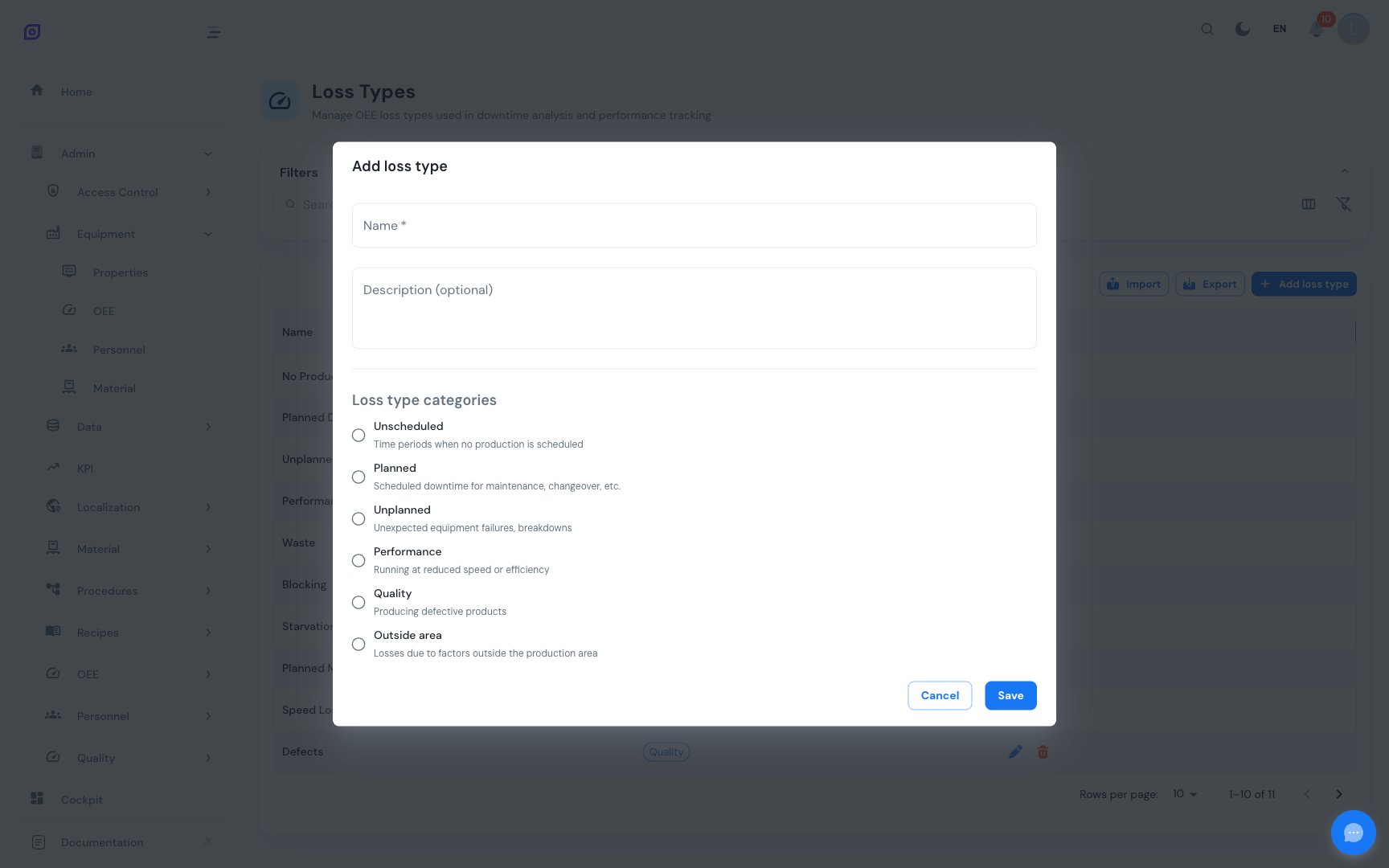
Click + Create and fill in:
| Field | Required | Description |
|---|---|---|
| Name | Yes | Loss type name (e.g., "Equipment Failure") |
| Description | No | Detailed explanation of what this loss type covers |
| Category | Yes | One of the 6 OEE categories (radio button selection) |
Filtering
Use the category filter dropdown above the grid to view only loss types of a specific OEE category. This is useful when you have many loss types and want to review one category at a time.
Import/Export
Use the Export and Import buttons to bulk-manage loss types via CSV, XLSX, or JSON files. This is useful for standardizing loss types across multiple plants.
Recommended loss types
A comprehensive starting set aligned with the Six Big Losses:
Availability losses (planned + unplanned)
| Loss Type | Category | Description |
|---|---|---|
| Equipment Failure | Unplanned | Breakdowns, jams, tool failures |
| Setup & Changeover | Planned | Switching between products or recipes |
| Planned Maintenance | Planned | Scheduled preventive maintenance |
| Material Shortage | Unplanned | Waiting for raw materials |
| Operator Unavailable | Planned | Breaks, meetings, shift change |
Performance losses
| Loss Type | Category | Description |
|---|---|---|
| Minor Stops | Performance | Short interruptions (< 5 minutes) |
| Reduced Speed | Performance | Running below ideal cycle time |
| Idling | Performance | Equipment running but not producing |
Quality losses
| Loss Type | Category | Description |
|---|---|---|
| Startup Rejects | Quality | Defects during warmup or after changeover |
| Production Rejects | Quality | Defects during stable production |
| Rework | Quality | Products needing reprocessing |
Other
| Loss Type | Category | Description |
|---|---|---|
| No Demand | Unscheduled | No production orders scheduled |
| Upstream Blockage | Outside Area | Waiting for input from previous process |
| Downstream Blockage | Outside Area | Output buffer full, cannot continue |
Next steps
- Reasons — Create the specific causes that map to these loss types
- Reason Trees — Organize reasons and loss types into navigable hierarchies
- Getting Started — Back to the setup tutorial
Prerequisites
- OEE Configuration Overview
- Introduction — get the overall picture of OpSee
Related
- OEE Fundamentals
- Equipment — complementary module