Cockpit
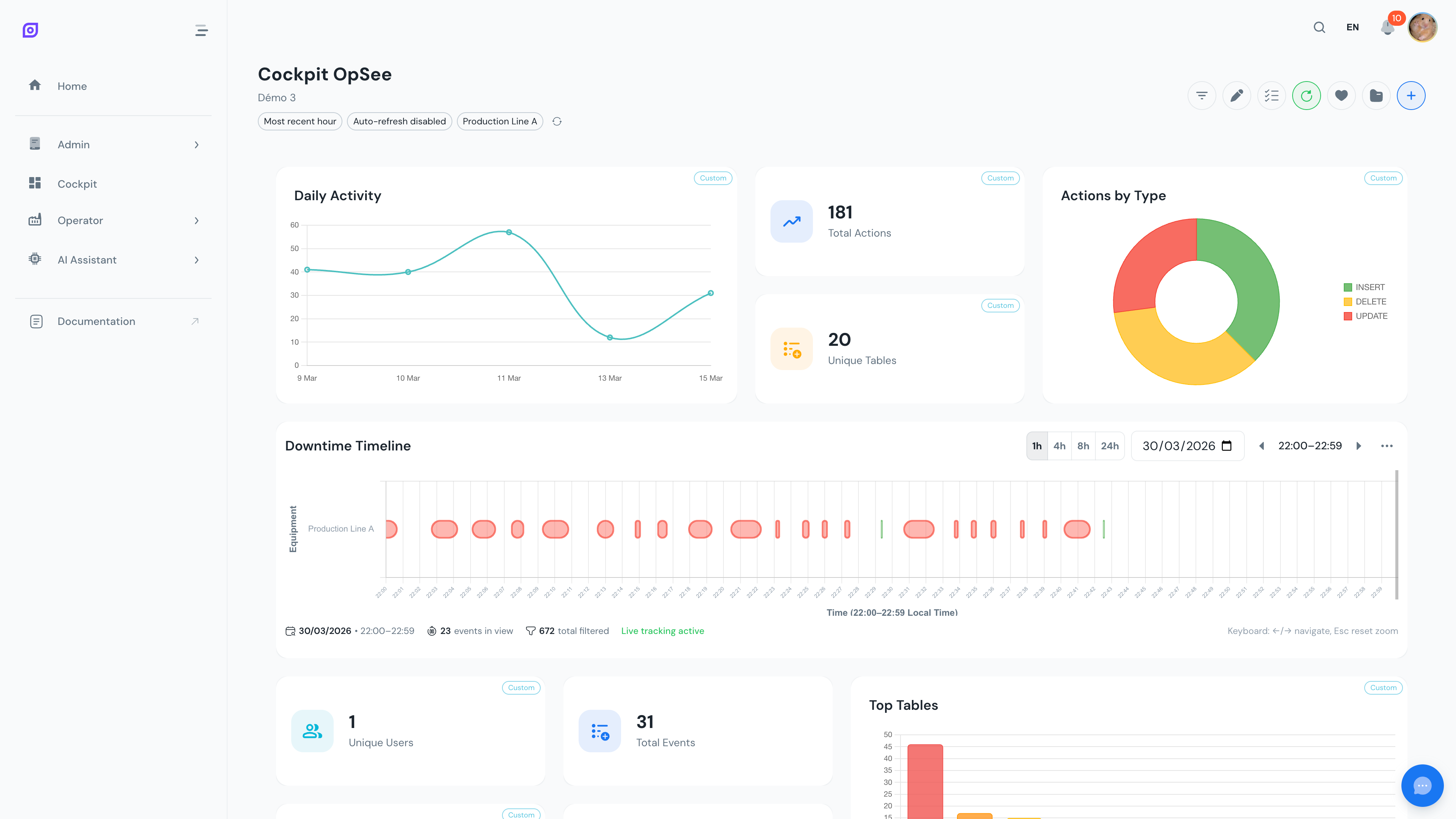 A cockpit dashboard with KPI cards, charts, and data tables side by side.
The Cockpit is OpSee's fully customizable dashboard system. It lets operators and managers assemble personalized views of their production data using drag-and-drop widgets, covering OEE metrics, audit trails, material inventory, and live tag trends -- all in a single screen.
Key features
- 44 widgets grouped by job in the Add Widget catalog: Operations, Justification, Trends, and System -- with a search field to jump straight to a widget by name
- Starter templates -- Line overview, Justification wall, Trend board, and Operator board -- build a working dashboard in two clicks, or start from a Blank canvas
- Drag-and-drop layout with resizable panels on a 12-column grid
- Global and per-widget filters for time range, equipment selection, refresh interval, and duration format, with per-widget overrides discoverable right from view mode
- Writable justification widget -- click a downtime stop or waste item on the cockpit to justify it, without leaving the dashboard
- Save and load configurations to switch between dashboard layouts instantly
- Real-time auto-refresh with configurable intervals (default: 30 seconds)
- Visual customization including icon and color overrides on any widget
- Bulk operations to apply settings across multiple widgets at once
- Select mode for multi-widget management, filter resets, and deletion
- Undo delete with a 10-second recovery window
Quick start
- Open the Cockpit from the main navigation menu
- Pick a starting point: choose a starter template for an instant working dashboard, or start Blank and add widgets one by one from the "+" button
- Arrange your dashboard by dragging and resizing widgets on the grid
- Save your configuration to persist the layout and reload it anytime
tip
Create multiple dashboard configurations for different use cases. For example, keep one for morning shift KPIs and another for detailed OEE analysis throughout the day.
Related modules
The Cockpit pulls data from across OpSee. The following modules feed into your dashboards:
- OEE Configuration: the loss types and reasons that power OEE widgets
- Production: detailed OEE dashboards and downtime tracking
- Equipment: the equipment hierarchy used in widget filters
- Concepts: OEE Fundamentals: the metrics behind the widgets
Learn more
| Page | What you will find |
|---|---|
| Getting Started | Step-by-step tutorial to build your first dashboard |
| Widgets | Complete reference of all 44 widgets by catalog group |
| Layout & Edit Mode | Drag, drop, resize, and manage widget positions |
| Filters & Time Range | Global filters, presets, equipment selection, and per-widget overrides |
| Configurations | Save, load, rename, duplicate, and delete dashboards |
| Customization | Change colors, icons, toggle data labels, and use bulk operations |
| Downtime Timeline | Deep dive into the most advanced widget: the OEE Downtime Timeline |
Prerequisites
- Introduction: get the overall picture of OpSee