AI Assistant
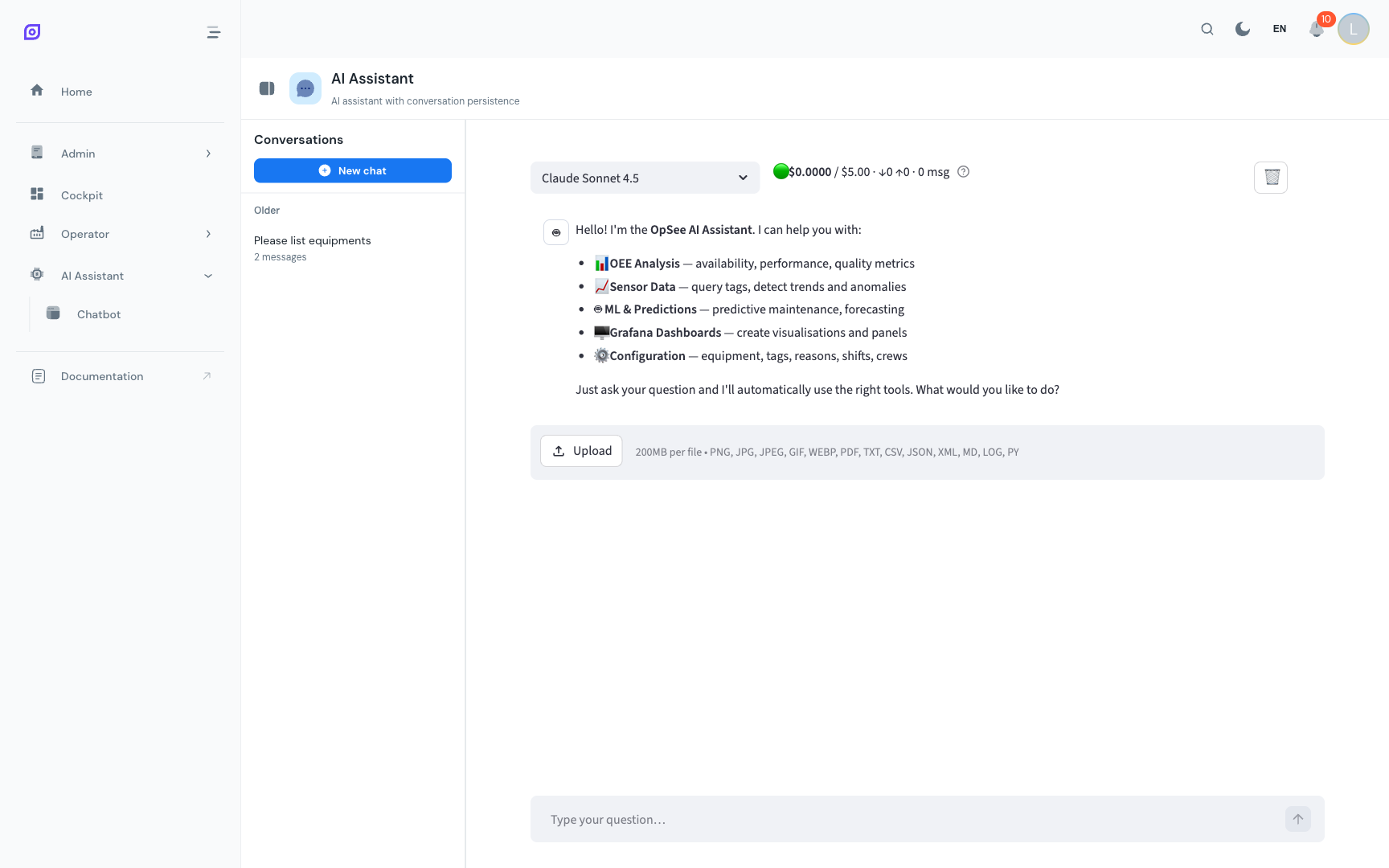
OpSee includes a built-in AI assistant powered by Claude (Anthropic). It lets you ask questions about your production data in natural language, with no SQL or dashboard configuration needed.
What you can do
| Action | Example Question |
|---|---|
| Query OEE data | "What was the OEE for Line 1 last week?" |
| Analyze downtime | "What are the top 5 downtime reasons this month?" |
| Compare equipment | "Compare availability between Line 1 and Line 2" |
| Check sensor data | "What is the current temperature on Reactor 3?" |
| View schedules | "Who is on shift right now on Line 2?" |
| Get summaries | "Give me a shift summary for the morning shift today" |
| Manage schedules | "Add a morning shift entry for Crew A next Monday" |
How it works
- Open the AI Assistant from the navigation menu
- Type your question in natural language
- The assistant queries the OpSee database and returns an answer
- Follow up with additional questions; the assistant remembers the conversation context
Available capabilities
The AI assistant has access to 25+ tools that let it interact with OpSee data:
| Category | Capabilities |
|---|---|
| Equipment & OEE | List equipment, get OEE calculations, query availability records, view equipment tags |
| Data & Sensors | List tags, query time-series tag values with transformations |
| Personnel | View shifts, crews, operators, schedules, schedule entries, active shift detection |
| Schedule Management | Create, update, and delete schedule entries |
| Downtime & Reasons | List downtime reasons, view reason tree hierarchies |
| Grafana | Create dashboards, list data sources |
| Administration | Create equipment, assign tags to equipment (admin only) |
| Advanced | Execute read-only SQL queries against the database (admin only) |
:::tip The assistant respects your permissions The AI assistant can only access data you have permission to see. Equipment group filtering applies: operators only see their assigned equipment, just like in the rest of OpSee. :::
:::info Internet required The AI assistant is the only OpSee feature that requires external connectivity; it calls the Anthropic API. All other features work fully offline. :::
Use cases
For operators
"What downtime events are unclassified on my line today?"
The assistant finds unvalidated events and can help you identify the right reason from the reason tree.
For supervisors
"Compare OEE between morning and afternoon shifts this week on Line 1"
Get instant analysis without building a custom dashboard.
For administrators
"Create a new equipment called 'Packer 4' under Line 2"
Perform admin actions through conversation (requires admin role).
For data analysis
"Run a query to find the average downtime duration by reason for the last 30 days"
The assistant can execute read-only SQL for advanced analysis (admin only).
Learn More
| Page | What you will find |
|---|---|
| Using the Chatbot | The main chatbot interface — how to type questions and read answers |
| Conversations | Managing conversation history, creating new chats, renaming |
| Tips and Limits | Best practices, known limitations, and when to use dashboards instead |
Prerequisites
- Introduction — the overall picture of OpSee
- OEE Fundamentals — useful background to phrase your questions
Next steps
- Using the Chatbot — start asking questions
- Cockpit — build persistent dashboards for routine monitoring
Related
- Glossary — definitions of every key term used in OpSee