Conversations
The AI Assistant organizes your interactions into conversations: each conversation is an independent thread with its own context. The sidebar on the left of the chatbot interface shows your conversation history.
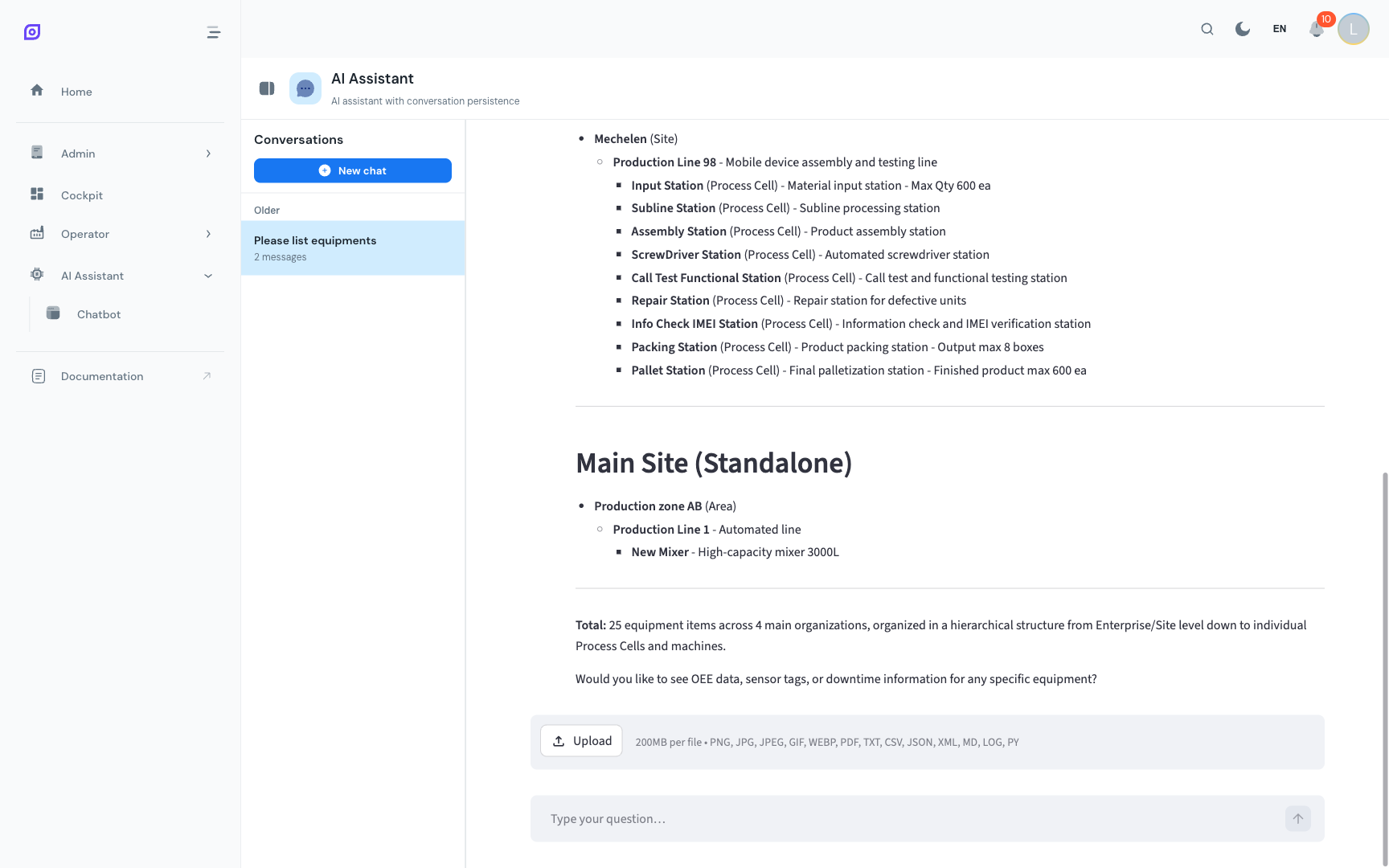
What is a conversation?
A conversation is a full chat session with the assistant. The assistant remembers everything discussed within a conversation; previous questions and answers are part of the context for each new message.
Conversations are personal; other users cannot see your conversations.
Creating a New Conversation
Click the + button at the top of the conversations sidebar to start a fresh conversation. The new conversation starts empty, with no prior context.
Use new conversations when:
- You are switching to a completely different topic (e.g., from OEE analysis to schedule management)
- You want a clean slate without the assistant being influenced by previous questions
- You are running a complex analysis and want to keep it separate for reference
Switching between conversations
Click any conversation in the sidebar to make it active. The chat area loads that conversation's full history, and you can continue from where you left off.
Renaming a Conversation
Conversations are automatically titled based on your first message. To give a conversation a more descriptive name:
- Hover over the conversation in the sidebar
- Click the pencil icon (or right-click for a context menu)
- Type the new name
- Press Enter to confirm
Good names help you find specific analyses later: "Line 2 OEE July 2025" is better than "What was the OEE…".
Deleting a Conversation
To remove a conversation you no longer need:
- Hover over the conversation in the sidebar
- Click the trash icon
- Confirm the deletion
Deleted conversations cannot be recovered.
Conversation persistence
Conversations are saved on the OpSee server and persist across:
- Browser refreshes
- Sign-outs and sign-ins
- Different devices (if you sign in from another computer, your conversations are there)
The number of conversations stored is not limited, but very old conversations are automatically archived after a configurable period set by your administrator.
Mobile sidebar
On mobile, the conversation sidebar is hidden by default. Tap the menu icon in the chatbot toolbar to open it as a drawer, then tap a conversation to switch.
Prerequisites
- Using the Chatbot — start a conversation first
Next steps
- Tips and Limits — get the most out of the assistant
Related
- AI Assistant Overview — capabilities and use cases