Units of Measure
Route: Administration → Localization → Units of Measure (/admin/localization/uom)
The Units of Measure (UOM) page lets administrators define the measurement units used across OpSee, including recipe formulas, material quantities, equipment parameters, and production counts.
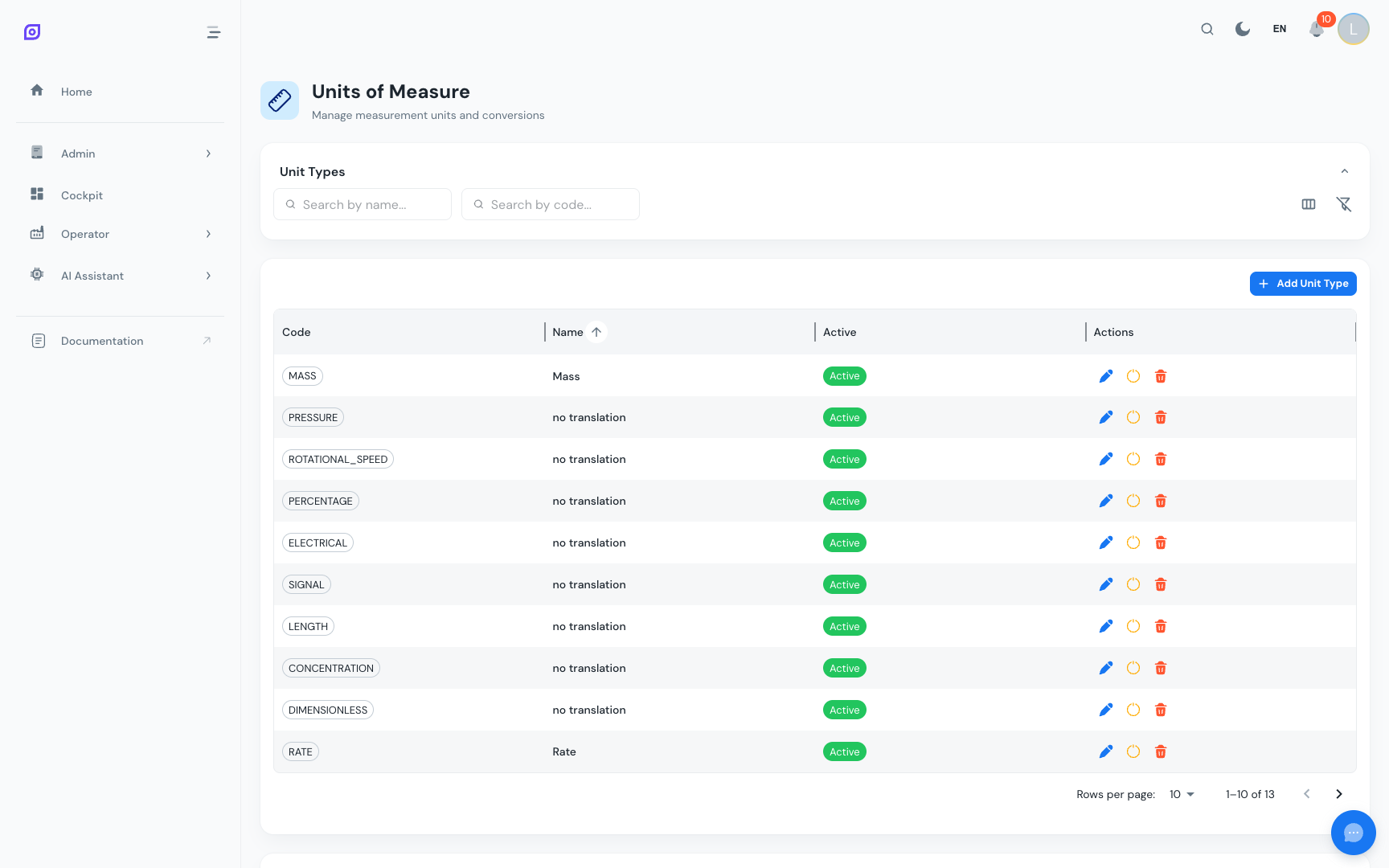
Unit types
Units are organized by type (measurement dimension):
| Type | Examples |
|---|---|
| Mass | g, kg, lb, oz, t |
| Volume | mL, L, gal, bbl |
| Length | mm, cm, m, in, ft |
| Temperature | °C, °F, K |
| Time | s, min, h |
| Speed | pcs/min, m/s, rpm |
| Count | pcs, units, boxes |
| Energy | kWh, MJ |
| Pressure | bar, psi, Pa |
Creating a Unit
- Click Add Unit in the toolbar
- Fill in the fields:
| Field | Description | Example |
|---|---|---|
| Code | Short unique identifier | kg |
| Symbol | Display symbol used in the UI | kg |
| Name | Full descriptive name (translatable) | Kilogram |
| Type | Unit dimension category | Mass |
| Base unit | The reference unit for conversions in this type | g (gram) |
| Conversion factor | Multiplier to convert this unit to the base | 1000 (1 kg = 1000 g) |
| Active | Whether this unit appears in selectors | On |
- Click Save
Unit conversions
OpSee uses a base unit + conversion factor system for each unit type:
- Define one base unit per type (e.g., grams for mass)
- All other units have a conversion factor relative to the base
- This allows OpSee to sum and compare quantities even when they are entered in different units
Example (mass type, base = gram):
| Unit | Conversion factor |
|---|---|
| Milligram (mg) | 0.001 |
| Gram (g) | 1 (base) |
| Kilogram (kg) | 1000 |
| Tonne (t) | 1,000,000 |
| Pound (lb) | 453.592 |
Translating unit names
Unit names can be translated so operators see them in their preferred language. After creating a unit, go to the Translations page, filter by the uom context, and add translations for each enabled language.
Disabling a Unit
If a unit is no longer used:
- Find it in the grid
- Toggle Active to Off
- Save
Inactive units do not appear in dropdowns but existing records that reference them are unaffected.
Prerequisites
- Localization Overview — the full localization module
- Languages — enable languages before translating unit names
Next steps
- Translations — translate unit names into all enabled languages
Related
- Material Overview — materials use UOM for quantities
- Recipes Overview — recipe parameters use UOM for process values