Data Tags
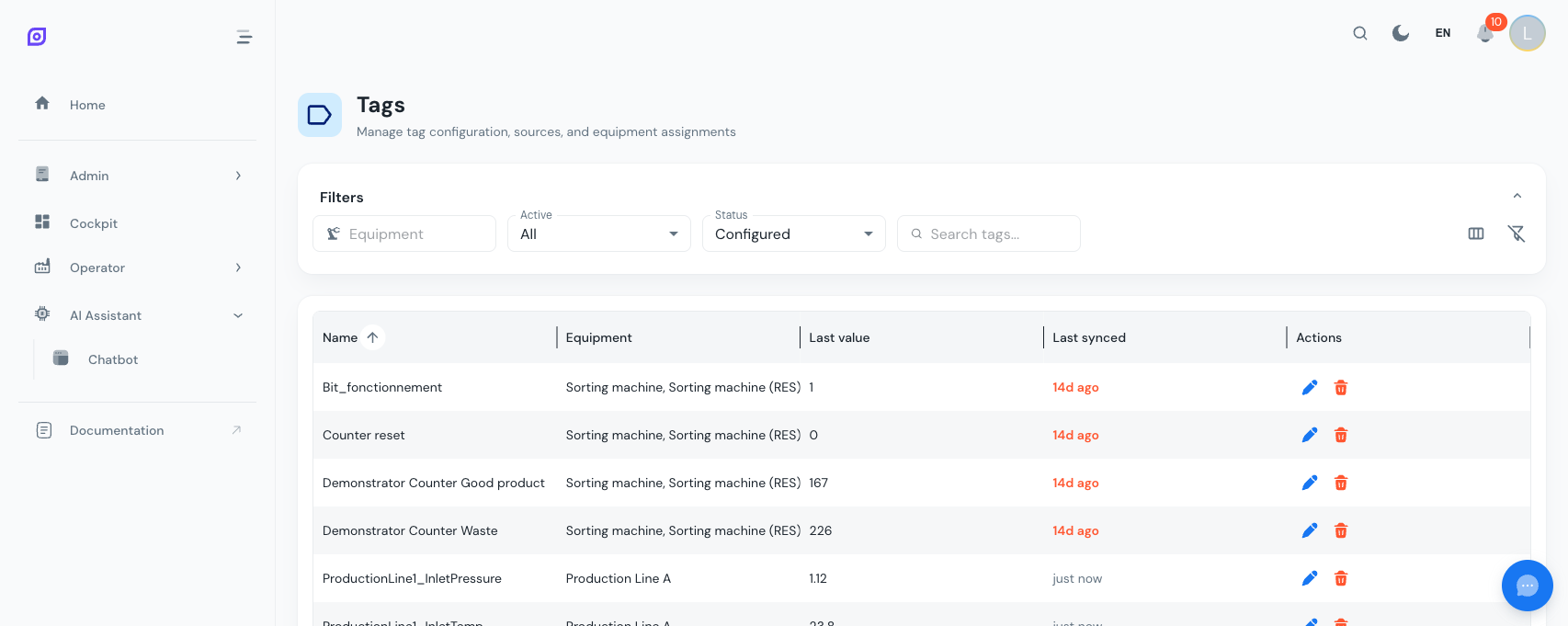
Data tags represent data points from the shop floor: sensor readings, PLC registers, machine states, and counters. They are the bridge between your physical equipment and OpSee's digital tracking.
What is a Tag?
A tag is a named data point that:
- Has a source (MQTT topic or OPC-UA node)
- Is linked to equipment in the OpSee hierarchy
- Has a value that changes over time
- Can have transformations applied (e.g., scaling, filtering)
- Stores its history in TimescaleDB for trend analysis
Managing tags
Navigate to Admin → Data → Tags.
Creating a Tag
Click + Create and configure:
| Field | Required | Description |
|---|---|---|
| Name | Yes | Descriptive tag name (e.g., "Line 1 Running State") |
| Equipment | No | Equipment this tag belongs to |
| Unit | No | Unit of measure (e.g., °C, RPM, pieces) |
| Transformation | No | Data transformation function |
| Active | Yes | Whether data is being collected |
Assigning tags to equipment
Tags must be assigned to equipment for OEE tracking to work:
- Open a tag or navigate to the equipment's tag list
- Select the equipment from the hierarchy
- The tag's data now feeds into that equipment's OEE calculations
Viewing current values
The tag list shows real-time values for all active tags. This is useful for:
- Verifying that data is flowing correctly from sensors
- Debugging connectivity issues
- Checking sensor health
Available transformations
Transformations modify raw data before storage:
| Transformation | Description |
|---|---|
| Raw | No transformation (stored as received) |
| Linear | Apply a linear formula (scale + offset) |
| Step | Interpret as discrete steps (state changes) |
Tag discovery
OpSee includes an MQTT Discovery Worker that automatically scans MQTT topics to find new data sources. This is useful during initial setup:
- Enable the MQTT Discovery Worker via the System Parameters
- The worker scans all MQTT topics
- Discovered topics appear as potential tags
- Map them to equipment and activate
:::tip Start with state and counter tags For OEE tracking, you need at minimum:
- A running state tag (running/stopped) for Availability
- A piece counter tag for Performance
- A reject counter tag for Quality :::
Next steps
- Data Trends — Visualize tag data over time
- Equipment — The equipment that tags connect to
- Data Flow — How data moves through OpSee
Prerequisites
- Admin Overview
- Introduction — get the overall picture of OpSee
Related
- Architecture Overview
- Cockpit — complementary module