Audit Trail
The Audit Trail records every data change in OpSee: every create, update, and delete operation, with the old and new values, the user who made the change, and the timestamp. This is essential for regulatory compliance, troubleshooting, and accountability.
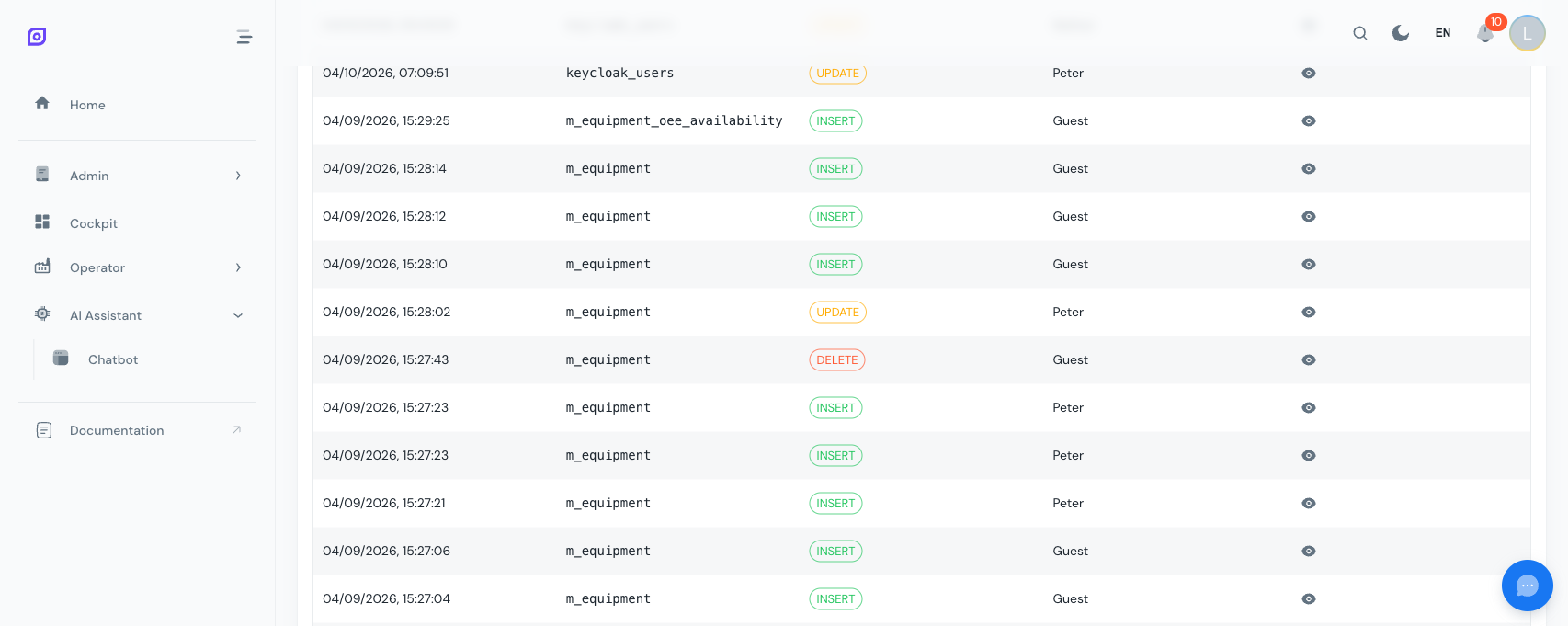
Viewing audit logs
Navigate to Admin → Audit Trail.
Filtering
Use the filter panel to narrow down the logs:
| Filter | Description | Example |
|---|---|---|
| Table | Which database table was changed | m_equipment, a_availability |
| Action | Type of operation | INSERT, UPDATE, DELETE |
| User | Who made the change | "john.doe" |
| Date range | Time period | Last 24 hours, last week, custom range |
| Record ID | Specific record | View all changes to record #42 |
| Module | Application module | Equipment, OEE, Production |
| IP Address | Client IP | Filter by location or device |
Log entry details
Each audit entry contains:
| Field | Description |
|---|---|
| Timestamp | Exact date and time of the change |
| User | Who performed the action |
| Action | INSERT, UPDATE, or DELETE |
| Table | Which data table was affected |
| Record ID | The specific record that changed |
| Old values | JSON of values before the change (for UPDATE/DELETE) |
| New values | JSON of values after the change (for INSERT/UPDATE) |
| IP Address | Client IP address |
| Session ID | Authentication session identifier |
Record history
To see the complete change history of a specific record:
- Click on any audit entry
- Click View record history
- See every change ever made to that record, in chronological order
This is useful for investigating when and why a specific equipment configuration, schedule, or OEE setting was modified.
Audit statistics
The statistics view provides visual breakdowns:
- Actions by type: how many INSERTs vs. UPDATEs vs. DELETEs
- Activity by table: which modules have the most changes
- Activity by user: who is making the most changes
- Daily activity: trends over time
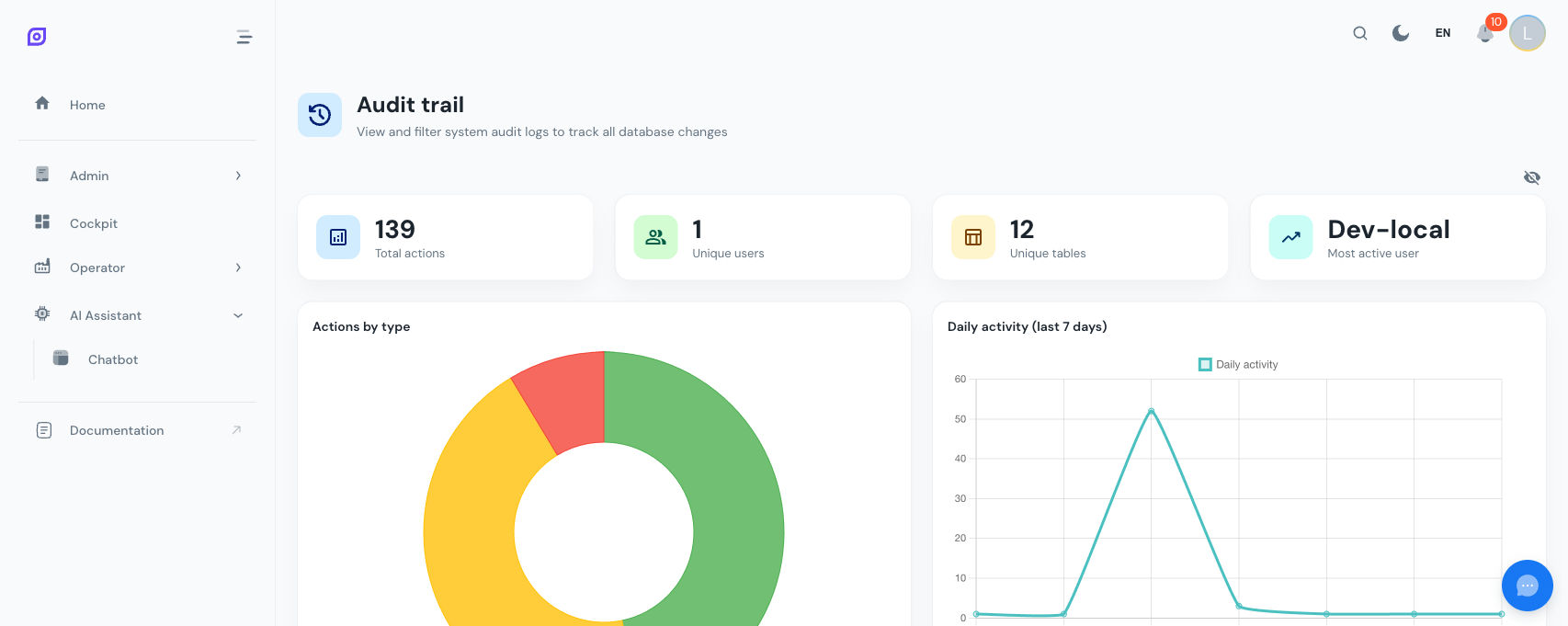
:::tip Use statistics for anomaly detection Unusual spikes in audit activity can indicate problems: mass deletions, unauthorized changes, or system issues. Review audit statistics regularly. :::
Compliance use cases
| Requirement | How audit trail helps |
|---|---|
| ISO 9001 | Prove that process changes are tracked and authorized |
| FDA 21 CFR Part 11 | Electronic records with who/what/when tracking |
| GMP | Demonstrate data integrity and traceability |
| Internal reviews | Investigate configuration changes that affected production |
Next steps
- Access Control — Manage who can make changes
- Localization — Multi-language configuration
- Overview — Back to Administration overview
Prerequisites
- Admin Overview
- Introduction — get the overall picture of OpSee
Related
- Architecture Overview
- Cockpit — complementary module