Batch Model (ISA-88)
:::info Quick Reference Procedure hierarchy: Batch Procedure > Unit Procedure > Operation > Phase
Recipe = Procedure + Formula + Parameters + Equipment Requirements
Recipe lifecycle: Draft > Review > Approved > Obsolete :::
What is a batch model?
Imagine you are baking a cake. You have:
- A recipe that tells you what to use (flour, eggs, sugar) and how much
- A procedure that tells you how to do it (mix dry ingredients, add eggs, bake at 180C for 30 min)
- Equipment that you need (mixing bowl, oven, scale)
Manufacturing works the same way, just at a much larger scale. The ISA-88 standard (also called S88) provides a formal structure for describing how products are manufactured. While ISA-95 organizes what you have (equipment), ISA-88 organizes how you make things.
Two complementary models
ISA-88 separates the procedure (the steps to follow) from the recipe (the specific parameters for a product). This separation is useful: the same procedure can be reused with different recipes to make different products.
Think of it this way: the procedure is the cooking method (mix, heat, cool), while the recipe holds the specific ingredients and settings for each product (chocolate cake vs. vanilla cake).
The procedure hierarchy
ISA-88 defines procedures in four levels, from the most general to the most specific:
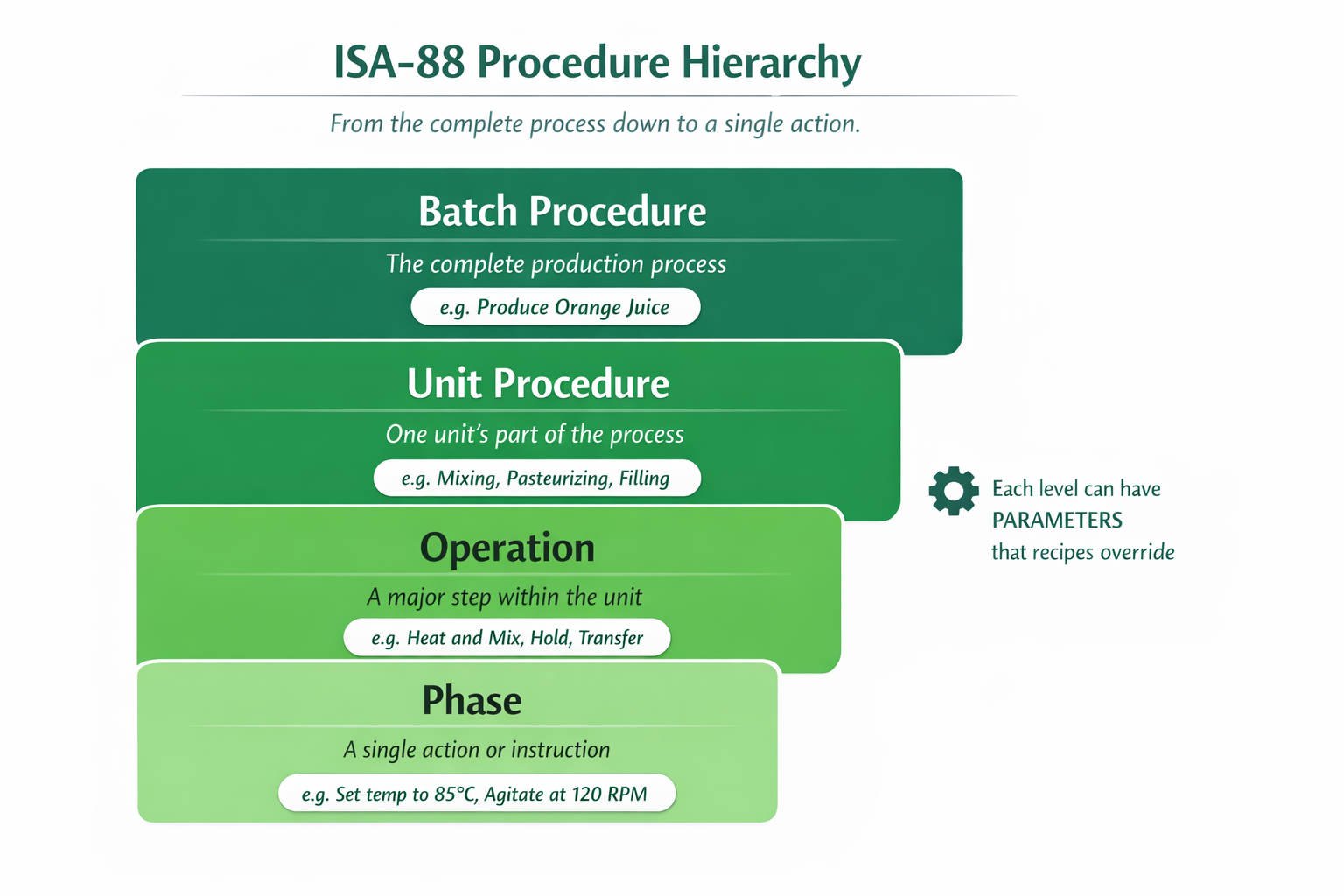 The four levels of the ISA-88 procedure model, from Batch Procedure down to Phase.
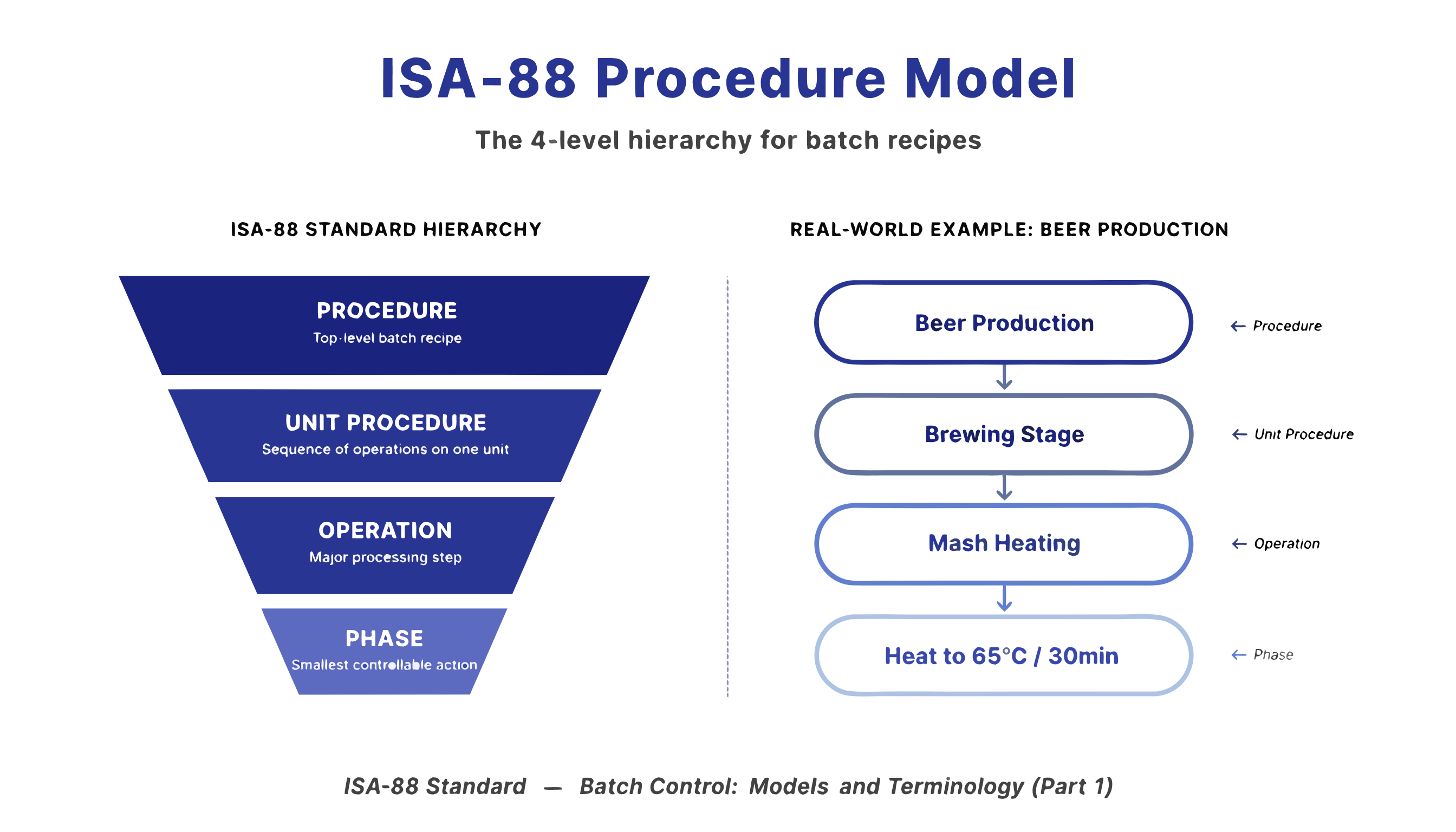
Batch Procedure
The top-level procedure that produces a complete batch or product. It defines the overall sequence of operations needed.
Example: "Produce Orange Juice": the full process from mixing to pasteurizing to filling.
Unit Procedure
A subset of the batch procedure that runs on a single equipment unit. A batch procedure typically contains multiple unit procedures running sequentially or in parallel.
Example: "Mixing Process": everything that happens at the mixing tank.
Operation
An ordered set of phases that accomplish a specific task within a unit procedure. Operations define the major steps.
Example: "Heat and Mix", one major step in the mixing process.
Phase
The smallest controllable element: a single action or control instruction. Phases have parameters that can be adjusted per recipe.
Example: "Set temperature to X degrees" or "Agitate for Y minutes"
:::tip Analogy for beginners Think of it like organizing a wedding:
- Batch Procedure = The entire wedding event
- Unit Procedures = Ceremony, Reception, Party (each in a different venue)
- Operations = Within Reception: Dinner, Speeches, First Dance
- Phases = Within Dinner: Serve appetizer, Serve main course, Serve dessert :::
The recipe model
Recipes tie specific product requirements to the procedure:
| Component | Purpose | Example |
|---|---|---|
| Formula | Material quantities (bill of materials) | 500L water, 200L concentrate, 50kg sugar |
| Parameters | Phase-specific setpoints | Temperature = 85C, Agitation speed = 120 RPM |
| Equipment Requirements | Which equipment types are needed | Requires: Mixing Tank >= 1000L, Pasteurizer |
Recipe lifecycle
OpSee supports recipe versioning with four statuses:
- Draft: being edited, not yet submitted for review
- Review: submitted for approval, read-only until decision
- Approved: validated and available for production orders
- Obsolete: retired from use but preserved for traceability
Changeover rules
When switching from one recipe to another on the same equipment, changeover rules define:
- Required cleaning or preparation steps
- Expected changeover duration
- Equipment-specific constraints
These rules feed into the OEE system, where changeover time can be classified as planned downtime rather than an availability loss.
Batch state machine
ISA-88 also defines a state machine that controls the lifecycle of a batch. Every batch can be in one of these states:
The key states are:
| State | Meaning |
|---|---|
| Idle | Waiting to start |
| Running | Actively executing |
| Paused | Temporarily stopped (operator can resume) |
| Held | Stopped due to a process condition (needs investigation) |
| Complete | Finished successfully |
| Stopped | Stopped by operator command |
| Aborted | Emergency stop |
How it all connects
A Production Order brings everything together:
- It references a Recipe (what to make and with what parameters)
- The recipe references a Procedure (how to make it)
- The order runs on specific Equipment (where to make it)
- Personnel are assigned via schedules (who operates)
- OEE tracks the actual efficiency during execution
Next steps
- Configure Procedures: set up batch procedures, operations, and phases
- Manage Recipes: create recipes with formulas, parameters, and versioning
- Equipment Model (ISA-95): the equipment that procedures run on
Prerequisites
- Introduction: get the overall picture of OpSee
Related
- Equipment Model (ISA-95): the equipment hierarchy that procedures run on
- OEE Fundamentals: OEE tracks efficiency during batch execution
- Procedures: configure batch procedures in OpSee